
Send and test emails with Mailtrap and Playwright
How to send test emails, and get metrics for mails on production

Most of the software I developed or tested included options to send emails. For example, promotions, order confirmation, a link to recover your password, or a passcode. In one job I use the Google API to get the Inbox mails for an user.
As QA I usually test the options that require some email or mobile notification manually. In one project, I reviewed emails and mobile notifications, along with logs, on Splunk.
A few weeks ago, a coworker asked me about creating Playwright tests that require an OKTA login with an OTP (One-Time Password) sent to the user’s mobile app. For OKTA login in one project, I have a user with a security question instead of the OTP.
I researched some options, and one of the most popular is Mailosaur. A good article explaining how to test emails, SMS, and 2FA apps is: ‘2FA Testing with Playwright and Mailosaur‘. For Cypress, you can watch Automating IDP Workflows with 2FA using Cypress & Mailosaur. The price for Mailosaur starts at $9, so I decided to look for a free alternative. Another options are Mailinator, Mailsurp,
I also researched some tools for sending emails. As a developer, I used SMTP .NET to send emails with HTML templates, and I manually replaced variables, such as {{username}}, with the user’s name. However, I wanted to explore additional tools for sending emails. I found Mailtrap, which includes both options: sending emails and collecting stats for your sent emails, as well as an option to send emails to a sandbox for development or QA environments.
Some of the options that Mailtrap offers are:
Dashboards displaying the delivered mail, open rate, and click rate (this is a paid version) for sent emails.
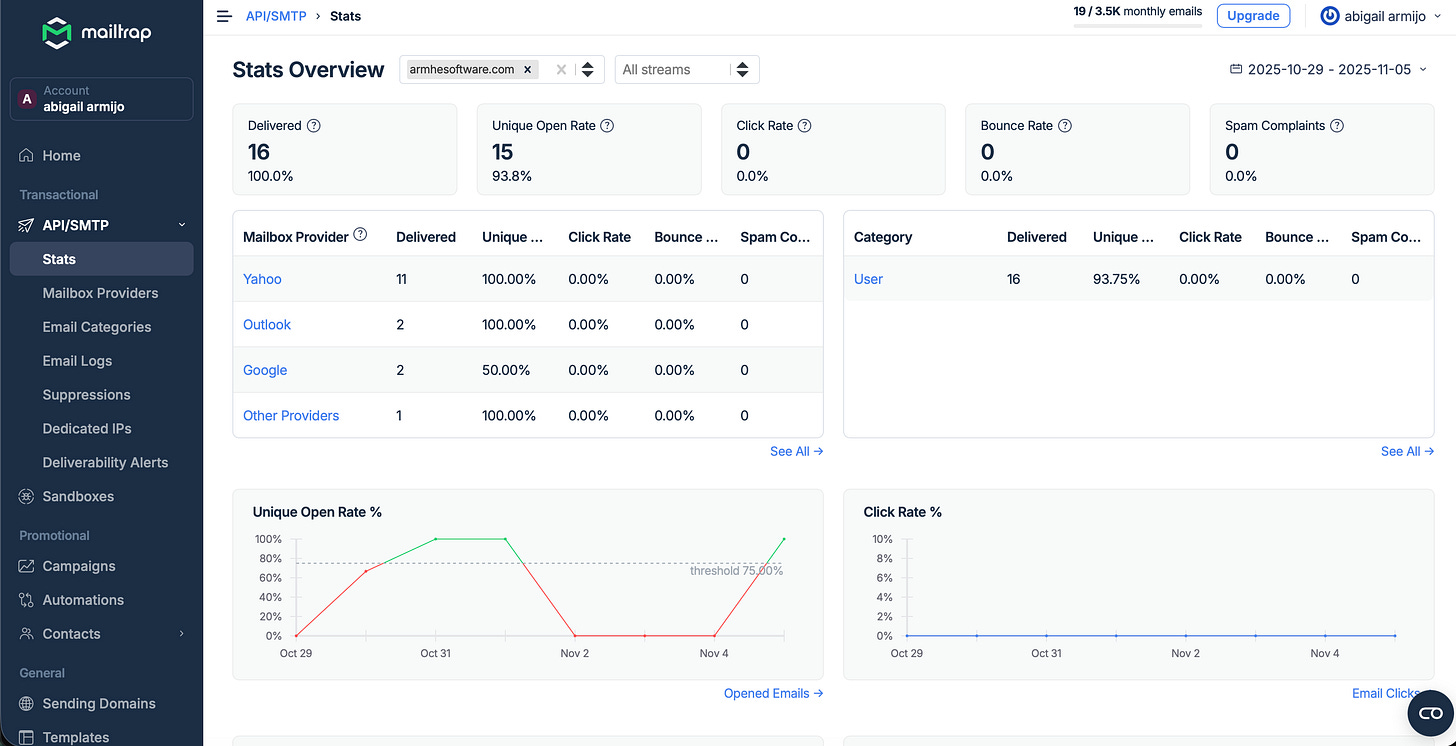
Mailtrap dashboard with stats about the emails on production Send emails for marketing campaigns.
Use workflows to send emails automatically.
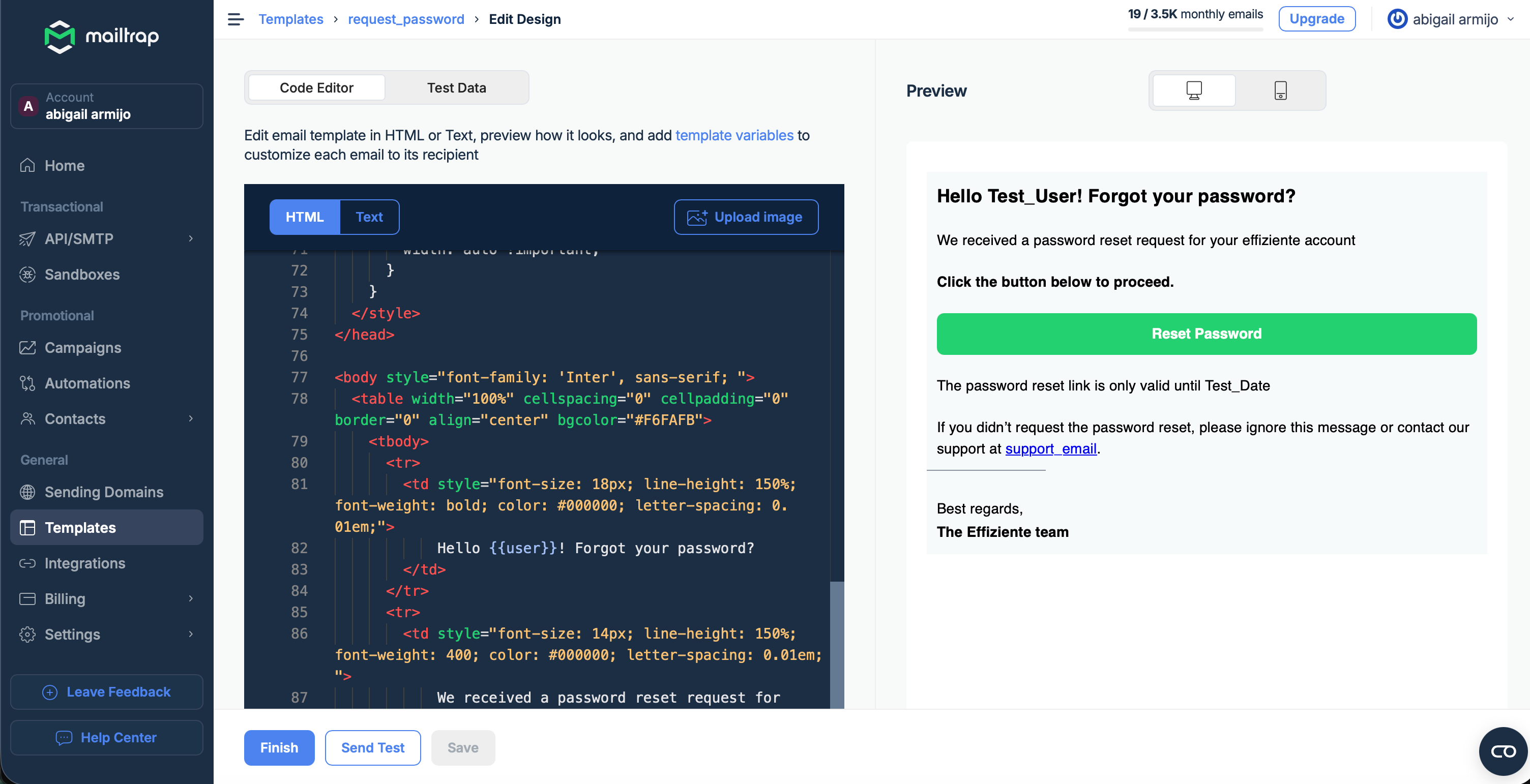
Use predefined templates for welcome emails, password reset emails, and promotional emails, making your testing process more efficient and less time-consuming. Includes a preview for mobile and desktop.
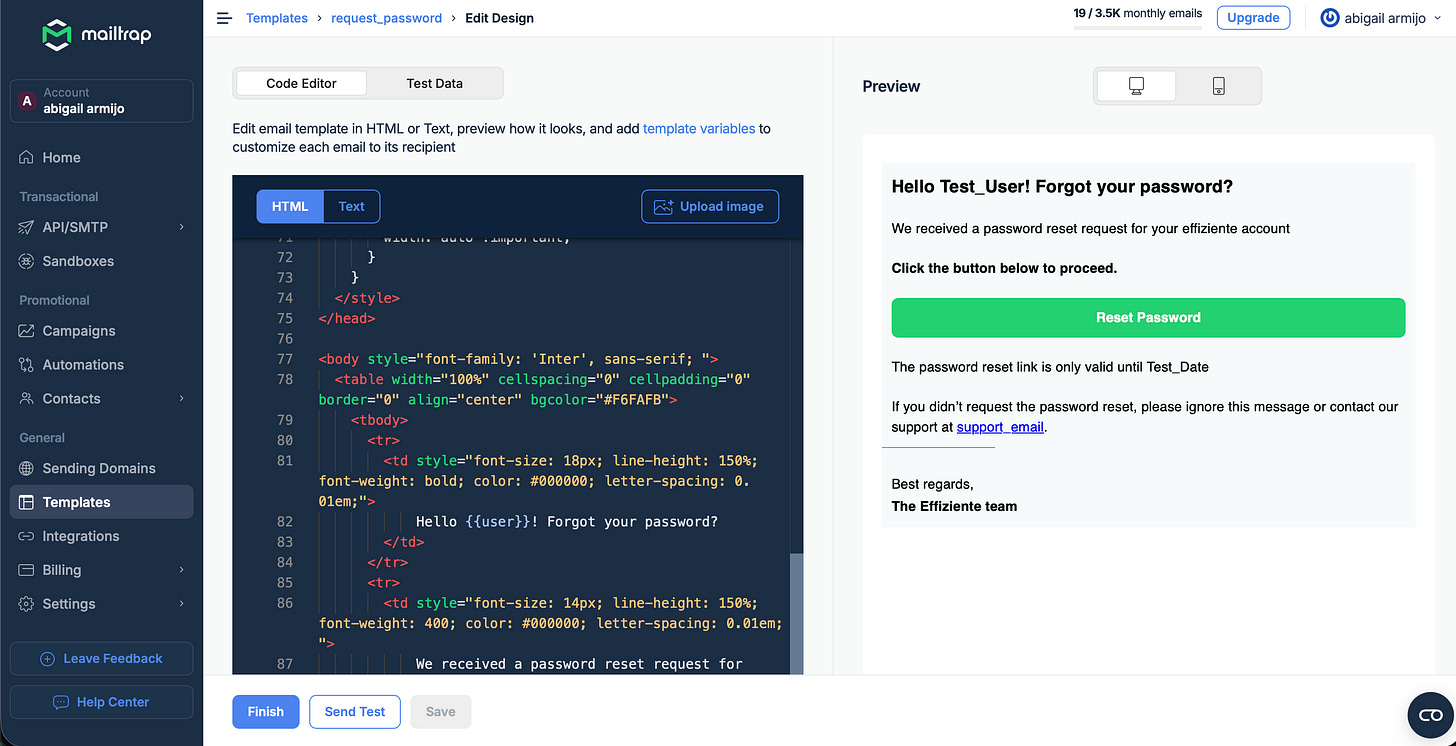
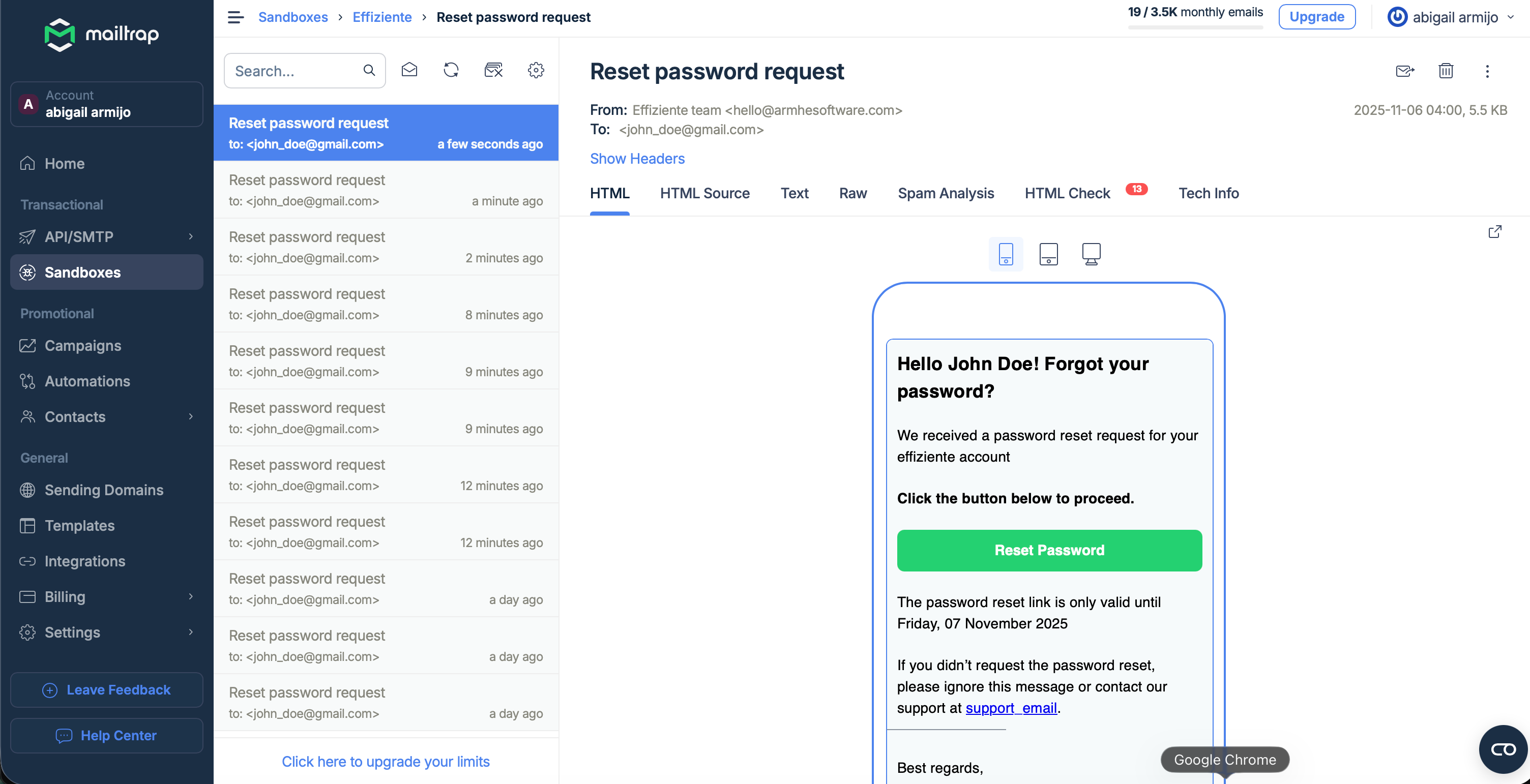
Mailtrap template mail Sandbox testing: Instead of sending emails to real email addresses, send emails to a sandbox where you can retrieve the email content via API.
Offers HTML checks
You can auto-forward the emails.
Spam analysis using SamAssassin™, an open source spam filter.
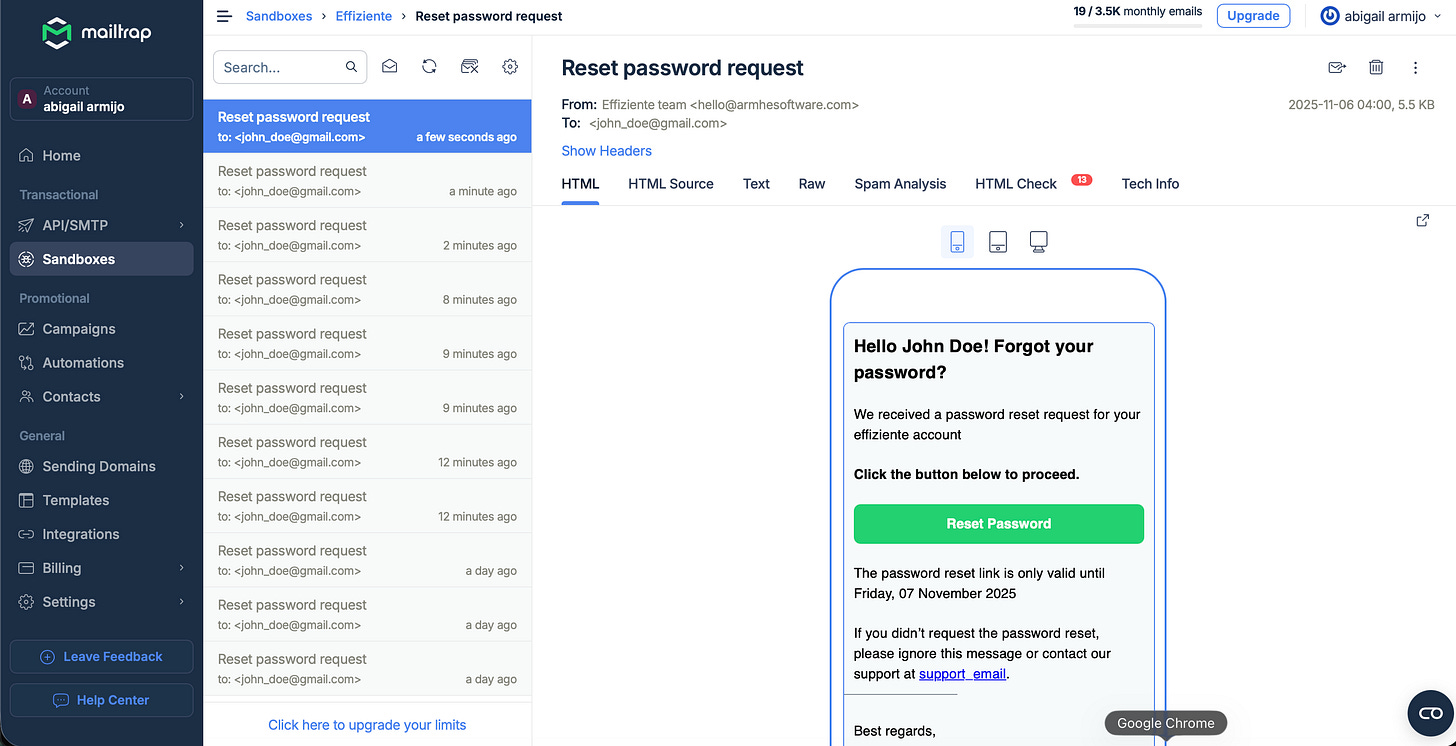
Sandbox mails with preview on mobile, tablet desktop
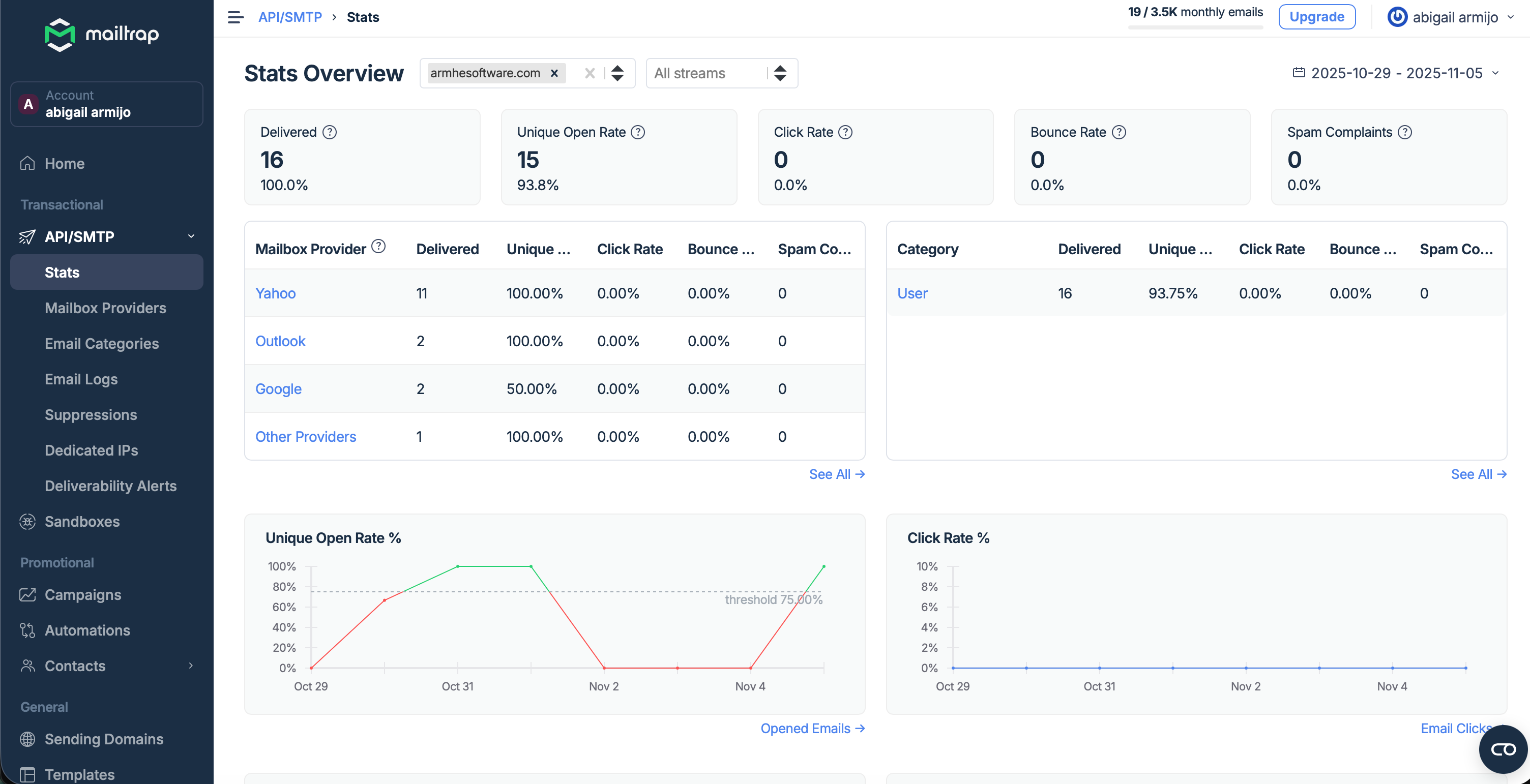
Having metrics about your emails in production is important, so I decided to try Mailtrap.
How to set up Mailtrap to send emails
To set up Mailtrap as developer, you need
Add DNS records to the domain that will send the emails.
Fill out the email sender form, which includes your name, LinkedIn profile, and your address.
To complete a compliance check, you need to explain why you require the services and ensure that you have valid user for example a list of subcriber users or users for your app.
Optionally, you can create or use a template with variables, such as {{user}}, in the HTML that you will replace with code.
Get your token to send emails.
You can send emails with and API or SDK available in different languages. I chose the API, and I only need to change the API URL that I set as an environment variable
For sandbox: https://sandbox.api.mailtrap.io/api/send/{yourSandBoxAccountId}
For Production: https://send.api.mailtrap.io/api/send
The steps to send the mail are:
Create the template: I use a predefined template.
Choose the subject for the emails: ‘Reset Password Request’.
I created 3 template variables
user: The user name
reetLink: a link with a UUID to the user can reset their password.
date: The date that the link will expire I set to one day.
Set the Token and API url as environment variables
Call the API with the next Body and Authorization Header
POST 'https://send.api.mailtrap.io/api/send
Header: ‘Authorization: Bearer <YOUR_MAILTRAP_API_TOKEN>
Body: {
    “from”: {
        “email”: “hello@armhesoftware.com”,
        “name”: “Effiziente Team”
    },
    “to”: [
        {
            “email”: “john.doe@google.com.com”
        }
    ],
    “template_uuid”: “efac4ff8-6fec-443f-bdad-f701363646ba”,
    “template_variables”: {
        “user”: “John Doe”,
        “resetLink”: “https://effizientedemo.azurewebsites.net/resetPassword/c253ce71-b341-4a08-8b24-d73ce7318051”,
        “date”: “Thursday, 11 November 2025”
    }
}
The code that I created on .NET is:
using Core;
using Microsoft.Extensions.Configuration;
using RestSharp;
using System;
using System.Collections.Generic;
using System.Text.Json;
using System.Threading.Tasks;

namespace Effiziente.Core;

public class MailTrapEmailAddress
{
    public string email { get; set; }
}

public class MailTrapFrom
{
    public string email { get; set; }
    public string name { get; set; }
}

public class MailTrapEmailBody
{
    public MailTrapFrom from { get; set; }
    public List<MailTrapEmailAddress> to { get; set; }
    public string template_uuid { get; set; }
    public Dictionary<string, string> template_variables { get; set; }
}

public class MailTrapSendMail : ISendEmail
{
    public string Message { get; set; }

    public string To { get; set; }
    public string Subject { get; set; }

    private string _from = “hello@armhesoftware.com”;

    private string _name = “Effiziente team”;

    private string _apiUrl;

    private readonly RestClient _client;

    /// <summary>
    /// Constructor
    /// </summary>
    public MailTrapSendMail()
    {
        this._apiUrl = Environment.GetEnvironmentVariable(”MailURL”);
        _client = new RestClient(this._apiUrl);
    }

    /// <summary>
    /// Send an email
    /// </summary>
    /// <param name=”configuration”>Configuration to get params</param>
    /// <param name=”template”>template</param>
    /// <param name=”templateVariables”>tempalte variables to replace</param>
    public async Task SendAsync(IConfiguration configuration, string template, Dictionary<string, string> templateVariables)
    {
        // Get token from configuration
        var token = configuration[”MailTrap”];

        if (string.IsNullOrEmpty(token))
        {
            throw new InvalidOperationException(”MailTrap API token is not configured. Please set the ‘MailTrap’ configuration value.”);
        }

        var body = new MailTrapEmailBody
        {
            from = new MailTrapFrom
            {
                email = _from,
                name = _name
            },
            to = new List<MailTrapEmailAddress>
            {
                new MailTrapEmailAddress { email = To }
            },
            template_uuid = template,
            template_variables = templateVariables
        };

        var request = new RestRequest();
        request.AddHeader(”Authorization”, $”Bearer {token}”);
        var jsonBody = JsonSerializer.Serialize(body);
        request.AddJsonBody(jsonBody);
        await _client.PostAsync(request);
    }
}
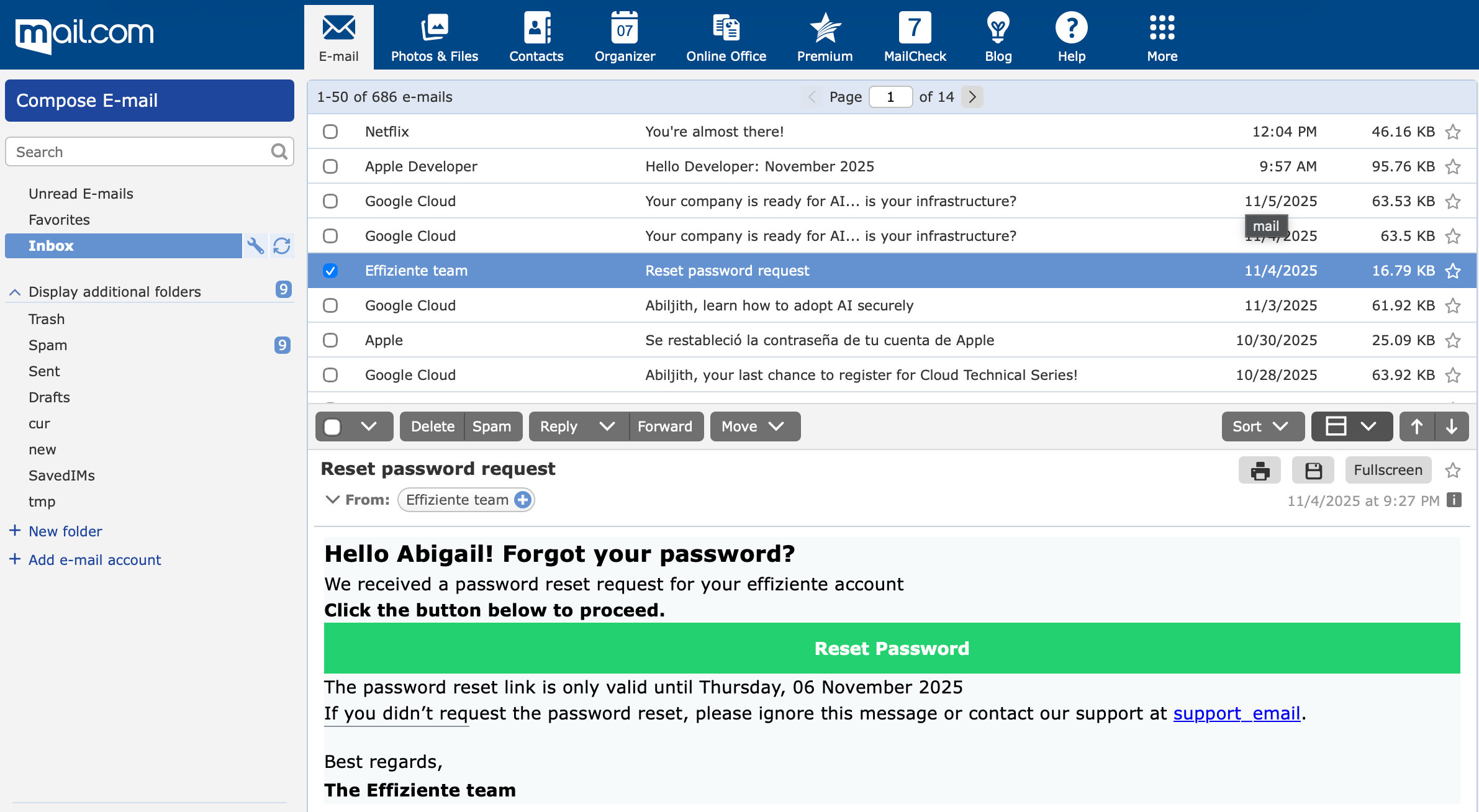
I tested with emails on different providers, google, outlook, yahoo, mail.com There are some minor differences between the different providers, usually mail.com contains some differences
How to test the sandbox with Playwright
For Playwright, I added one test to test the reset password. The steps are:
Go to the login.
Click on the link Forgot your Password?
Call the API that returns the information for the user whose password I want to reset to verify that the user’s name is included in the email.
Fill in the user email on Forgot Password form.
Click on the Request Password button.
Check that the success message is displayed.
Get the latest emails on the sandbox.
Filter the emails with the title ‘Reset Password Request’.
The API includes the template variables, so I checked the variables on the API with the user name.
Open the HTML version of the mail.
Check that the reset password is visible.
Click on the reset password link.
I didn’t add the option to reset the password yet on my website to practice testing, but the following steps will be taken:
Set a new password
Log in with the user and the new password.
You can view the Mailtrap API documentation to access all the APIs you need for the sandbox. You need your account ID and inbox ID.
The API that returns the latest messages is:
GET https://mailtrap.io/api/accounts/{account_id}/inboxes/{inbox_id}/messageheader: Api-Token: <YOUR_API_TOKEN>For playwright I added different files:
APIHelper: to add functions to send API, PUT, GET and Mock the API requests.
MailTrapApi: To connect to the Mailtrap API.
This is the API Helper:
import test, { APIRequestContext, APIResponse, Page } from ‘@playwright/test’;
import { request } from ‘@playwright/test’;

export class ApiHelper {

    baseUrl: string;
    page: Page;

    constructor(page: Page, baseUrl: string) {
        this.page = page;
        this.baseUrl = baseUrl;
    }

    /**
     * Create a request with token from localStorage
     */
    async createRequest(baseURL: string, token?: string) {
        if (!token)
            token = await this.page.evaluate(’localStorage[”token”]’);
        const apiRequest: APIRequestContext = await request.newContext({
            baseURL: baseURL,
            extraHTTPHeaders: {
                ‘Authorization’: `Bearer ${token}`,
            }
        });
        return apiRequest;
    }

    /**
     * Wait for response from url contains the api url
     * @param apiUrl api url to wait until get the response
     * @param statusCode Status code returned by the api
     * @returns responsePromise
     */
    waitForResponse(apiUrl: string, statusCode = 200, method: ‘POST’ | ‘GET’ | ‘PUT’ | ‘DELETE’ = ‘GET’) {
        return this.page.waitForResponse(response => response.url().includes(apiUrl) && response.request().method() == method
            && response.status() == statusCode);
    }

    /**
     * Call to api post
     * @param url post url (not base url is needed)
     * @param data data to post
     * @returns
     */
    async get(url: string, token?: string): Promise<APIResponse> {
        const apiRequest = await this.createRequest(this.baseUrl, token);
        return await apiRequest.get(url);
    }

    /**
     * Call to api post
     * @param url post url (not base url is needed)
     * @param data data to post
     * @returns
     */
    async post(url: string, data: any): Promise<APIResponse> {
        const apiRequest = await this.createRequest(this.baseUrl);
        return await apiRequest.post(url, { data: data });
    }

    /**
     * Call to api post
     * @param url post url (not base url is needed)
     * @param data data to post
     * @returns
     */
    async put(url: string, data: any): Promise<APIResponse> {
        const apiRequest = await this.createRequest(this.baseUrl);
        return await apiRequest.put(url, { data: data });
    }

    /**
     * Call to api delete
     * @param url delete url (not base url is needed)
     * @returns
     */
    async delete(url: string): Promise<APIResponse> {
        const apiRequest = await this.createRequest(this.baseUrl);
        return await apiRequest.delete(url);
    }

    /**
     * Mock an api
     * @param description Description for the HTML reporter
     * @param url API URL to mock
     * @param jsonData JSON that will be returned
     */
    async mockApi(description: string, url: string, jsonData: any) {
        await test.step(description, async () => {
            await this.page.route(url, async route => {
                await route.fulfill({ body: JSON.stringify(jsonData) });
            });
        });
    }
}
For the MailTrapApi I use environment variables to don’t add my account id, token on code. I added one method to get the mails on sandbox and other to open the HTML email link.
import { Page } from ‘playwright’;
import { ApiHelper } from ‘../../utils/ApiHelper’;
import test from ‘playwright/test’;

export class MailTrapApi {

    private apiHelper: ApiHelper;
    private account: number;
    private mailInbox: number;
    private token: string;
    private apiUrl: string;

    constructor(private page: Page) {
        this.apiUrl = process.env.MAIL_TRAP_API ?? ‘’;
        this.account = parseInt(process.env.MAIL_ACCOUNT ?? ‘0’);
        this.mailInbox = parseInt(process.env.MAIL_INBOX ?? ‘0’);
        this.token = process.env.MAIL_TOKEN ?? ‘’;
        this.apiHelper = new ApiHelper(this.page, this.apiUrl);
    }

    async getLastEmailWithTitle(title: string) {
        return await test.step(`Get the last email with the title “${title}”`, async () => {
            const response = await this.apiHelper.get(`api/accounts/${this.account}/inboxes/${this.mailInbox}/messages`, this.token);
            if (response.status() !== 200) {
                throw new Error(`Failed to fetch emails from MailTrap. Status: ${response.status()}`);
            }
            const mails = JSON.parse(await response.text());
            const lastMail = mails.find((m: { subject: string; }) => m.subject == title);
            if (!lastMail) {
                throw new Error(`Email with title “${title}” not found.`);
            }
            return lastMail;
        });
    }

    async getEmail(path: string) {
       await this.page.goto(`${this.apiUrl}/${path}`);
    }
}
This is the code for the test
import test, { expect } from ‘playwright/test’;
import { EffizienteLoginPage } from ‘../../pages/Effiziente/effizienteLoginPage’;
import { EffizienteForgotPassword } from ‘../../pages/Effiziente/effizienteForgotPassword’;
import { ForgotPasswordMail } from ‘../../pages/Effiziente/forgotPassword.mail’;

test.describe(’Forgot Password tests’, () => {
    test.use({ storageState: ‘auth/admin.json’ });
    test(’Check the forgot mail is send’, {
        tag: [’@Mail’],
    }, async ({ page }) => {
        const loginPage = new EffizienteLoginPage(page);
        await loginPage.goTo();
        const forgotPasswordPage = new EffizienteForgotPassword(page);
        const user = await forgotPasswordPage.usersApi.getCurrentUser();
        await loginPage.forgotPassword.click();
        await forgotPasswordPage.email.fill(user!.Email);
        await forgotPasswordPage.requestPassword.click();
        const expectedSubject = ‘Reset password request’;
        await expect(forgotPasswordPage.message.locator, ‘Success request password message is visible’).toBeVisible();
        const lastMail = await forgotPasswordPage.mail.getLastEmailWithTitle(expectedSubject);
        const expectedUser = user!.Name;
        await test.step(`Assert mail user equals “${expectedUser}”`, async () => {
            expect(lastMail.template_variables.user, `Expected mail user to be “${expectedUser}”`).toBe(expectedUser);
        });
        await forgotPasswordPage.mail.getEmail(lastMail.html_path);
        const forgotPasswordMail = new ForgotPasswordMail(page);
        await expect(forgotPasswordMail.getEmailTitle(expectedUser)).toBeVisible();
        await expect(forgotPasswordMail.resetPassword.locator, ‘Reset password is visble’).toBeVisible();
        await forgotPasswordMail.resetPassword.click();
    });
});
You can check my Playwright sample demo where I added different test like Excel, PDF, Geo location tests.
Because the mails are on sandbox you don’t need to add any pause or wait because the mail is already on sandbox.
Although you can see the preview of the inbox with some stats and recomendations to the HTML desing on Mailtrap is important to check the email with different email providers because sometimes the format is different between different email provider and OS or on mobile.
One option that sandbox offer is autoforward the emails on sandbox to email so for testing you can auto forward to different email shared accounts to manually check the design and after disable the auto forward and renable with some email design change.
Mailtrap includes a free version and the price starts at $15 by month by user I think is an interesting option to monitor and test your mails.
I think that having access to the content of the emails is useful for automated tests like promotions, forgot password, and any other flow that requires the user receives an email
Thank you for reading this article. Feel free to suggest me a new article and enjoy testing!!